
Exhibiting, preservation and conservation of time-based media art
About ACMI
ACMI is a unique screen culture museum showcasing film, TV, videogames and art. Our exhibitions are predominantly screen-based, celebrating the moving image in all its forms. In this resource, you will find out about the opportunities and challenges related to exhibiting, preserving and conserving time-based media.
Time-based media art
Time-based media art is any artwork that unfolds over time. It includes art forms like video, film, sound, digital animation, performance, and interactive installations. Some time-based artworks combine elements (like sound, performance, or installation), and often don’t fit neatly into just one category. In an exhibition space, time-based media artworks will often have a combination of digital and physical elements. While elements of a time-based artwork will be necessary for it to be faithfully exhibited, there may be elements that can be altered/substituted or omitted altogether.
Exhibiting time-based media art has unique challenges, as do practices and protocols around its preservation and conservation.
ACMI commissions
ACMI has commissioned and exhibited many significant video artworks since our opening in 2002. These include Candice Breitz: The Woods (2011), Warwick Thornton: Mother Courage (2012-13), Julian Rosefeldt: Manifesto (2015-16) Soda Jerk: Terror Nullius (2018), Kaylene Whiskey: Ngura Pukulpa – Happy Place (2021), and Serwah Attafuah: The Darkness Between the Stars (2025). Scroll through this list of recent commissions to find out more. You can also find out more about digital and interactive art in this multi-strand interactive.
Daniel Crooks' mesmerising two-channel artwork Phantom Ride is displayed in ACMI's permanent exhibition. It is an outstanding example of time-based media art.
Terminology
While they may seem similar, the key concepts of conservation, preservation and restoration hold different meanings.
- Conservation is the general concern of museums and intrinsic to their existence: safeguarding the past for future generations through the preservation of artwork, objects and ephemera.
- Preservation is one of the key methods by which this is achieved, through measures adopted to care for and keep the above as close to their original condition as possible.
- Restoration occurs where conservation has reached its limits and involves the modification of an artwork or object to help preserve its intrinsic value. Where more recent technologies are concerned, this would involve migration and emulation of elements of the work.
Key Conservation Terms
- Condition Report: a detailed report on the artwork’s physical and digital state at various stages.
- Checksum: a digital fingerprint to check if a file has been altered.
- Migration: moving digital files to new formats or hardware to prevent obsolescence.
- Metadata: data about the artwork and its components for accurate cataloguing.
Exhibiting
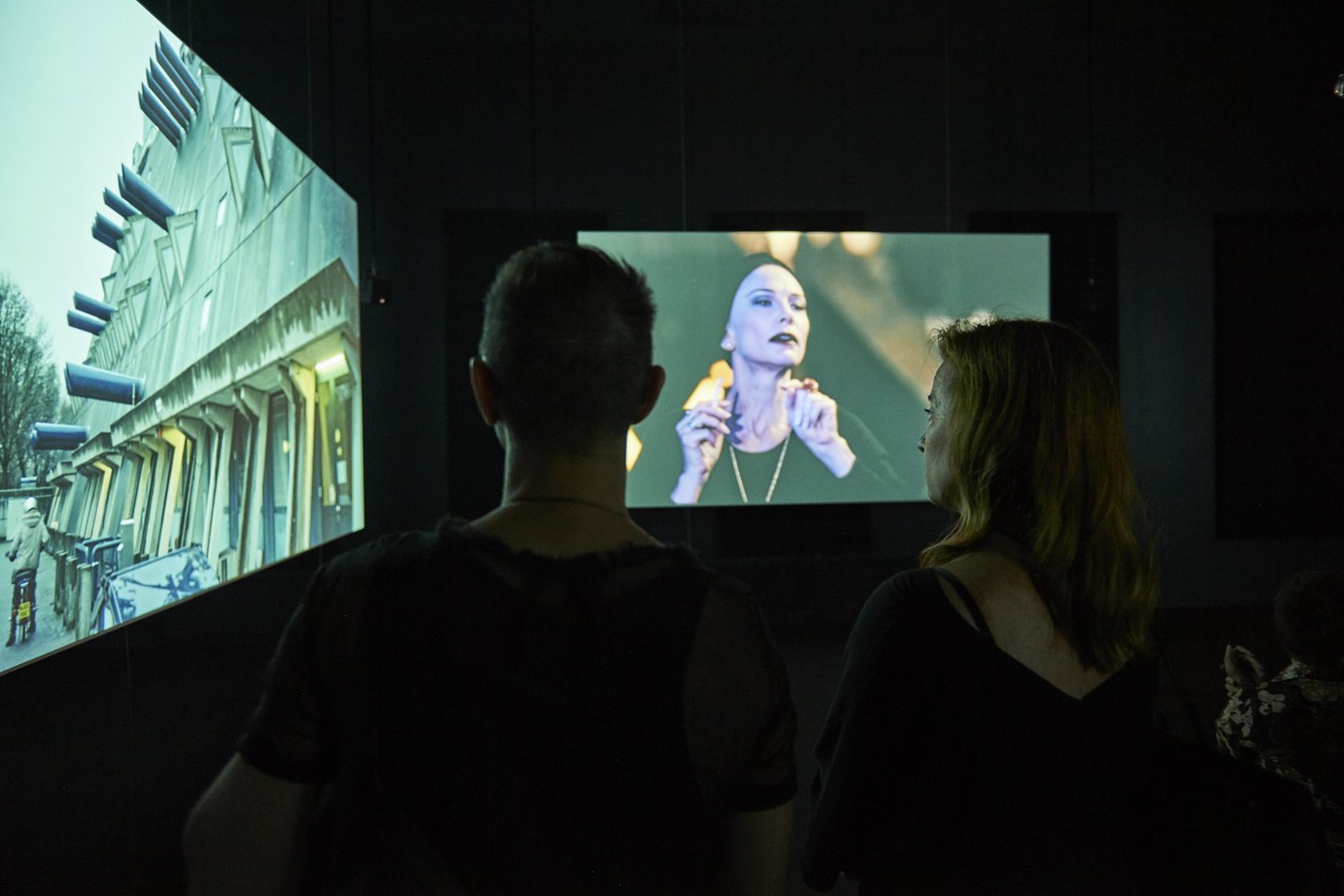
Each ACMI exhibition is unique. Our curators are creative and knowledgeable problem-solvers who collaborate with artists, exhibition designers, and the ACMI exhibitions team to bring each experience to life. Alongside moving image works, ACMI exhibitions frequently feature material artefacts such as sculptures, two-dimensional artworks, costumes, sets, props, and more.
In this resource our focus is on considerations relating to the exhibition of time-based media artworks such as lighting, sound, duration, space, and technology. Unlike static artworks, time-based media art often needs darkened or controlled lighting environments and thoughtful sound design to avoid interference between works. The duration and structure of each piece, whether linear or looped, also influence how audiences engage and how the exhibition is paced. Some works may be interactive or immersive, requiring clear instructions and accessibility measures. Curators must work closely with artists to ensure the presentation supports the intended experience, while also managing the technical demands of equipment, synchronisation, and ongoing maintenance.
Timing & duration
The time element in moving image artworks is central to both how the work is experienced and how it is exhibited. Key considerations include the duration of the work, whether it has a linear structure with a clear beginning, middle and end, or whether it is designed to loop continuously. Curators must consider how long audiences are likely to spend with the work and whether it's important for them to see the entire piece to understand its meaning. Timing also affects gallery layout, audience flow, and the potential need for seating, signage or scheduling. In multi-screen works, synchronisation across channels becomes crucial. Ultimately, how time is handled shapes the rhythm, accessibility, and impact of the work.
- With these considerations in mind, what are some of the ways that gallery design can support visitors to engage effectively with a time-based artwork?
- If a video artwork needs to be seen from the beginning, how might that be managed?
Sound
When exhibiting a time-based media artwork with sound, careful consideration must be given to sound quality, direction, and containment. It's important to ensure that the audio is clearly audible to the viewer without being disruptive to other works or the surrounding space. This may involve using headphones, directional speakers, or creating enclosed or acoustically treated spaces. The volume levels must be balanced so the sound is immersive but not overwhelming.
- What factors in a gallery’s physical environment could make it challenging to exhibit a time-based media artwork that includes sound?
Lighting
When exhibiting a time-based media artwork, lighting plays a key role in how the work is seen and experienced. Many screen-based works require low light or darkness so that images on screen or projections are clearly visible. Too much light can cause reflections, glare, or wash out the image, while too little light can make it difficult for audiences to move safely or view other nearby works. In exhibitions with multiple works, lighting may need to be carefully zoned so that each piece has the right conditions without affecting others.
- Think of a time-based media artwork you have seen exhibited in a gallery setting. How did lighting add to its impact? Things you might like to think about are: creating mood and atmosphere; building a sense of immersion; separating the work from the rest of the gallery.
Space & scale
When presenting a time-based media artwork in a gallery, the use of space and scale is crucial to how audiences experience the work. Curators must consider how much physical space the work requires, especially for large projections, multi-screen installations, or interactive elements, and how viewers will move through or around the work. The scale of the screen or image affects how immersive or intimate the experience feels; a large projection may surround the viewer, while a small monitor invites close, focused viewing. The positioning of the work within the gallery also matters, whether it's in an enclosed room, open area, or along a passageway, impacting visibility, audience flow, and the potential for distraction. When exhibiting screen-based artworks, careful spatial planning helps maintain the artist’s intended experience and ensures the work can be viewed safely and effectively.
- How might a multi-screen video artwork feel different when it's shown in a small, enclosed gallery compared to a large, open, industrial-style space?
(Think about things like how the screens are arranged, how the sound travels, how the audience moves around the space, and how the scale of the environment changes the experience.)
Equipment
Screen-based and time-based artworks rely heavily on audiovisual (AV) technology, so careful planning is essential to ensure the work runs smoothly and is experienced as the artist intended. This includes selecting the right display equipment, such as monitors, projectors, media players, and speakers, and making sure they match the technical specifications of the artwork. Curators and technicians must also consider how the equipment is installed, powered, and hidden or revealed in the space. Reliable playback systems, including looping or synchronisation for multi-channel works, are crucial, as are sound systems that suit the acoustic environment. Because AV equipment can be prone to wear or technical faults, there must also be a plan for maintenance, troubleshooting, and daily checks.
- Use a time-based media artwork that you know, or select one from a past ACMI exhibition or the ACMI Collection and explain what AV equipment would you choose and how would you set it up to support the artist’s intention and create the best experience for the audience.
Accessibility
Accessibility is essential in gallery and museum settings to ensure that everyone, regardless of physical, sensory, or cognitive abilities, can engage with and enjoy the artworks and exhibitions. This includes providing step-free entry, clear signage, seating, captioning, audio guides, and other supports that make the space welcoming and inclusive.
Time-based media artworks present unique accessibility considerations. These include captions and subtitles, transcripts or visual descriptions, audio description, adjustable sound levels, viewing duration and seating, lighting and navigation (such as tactile indicators, contrast strips, or gentle floor lighting), trigger warnings and content notices.
- Conduct a simple accessibility audit of a video or time-based artwork by identifying features like captions, seating, lighting, and audio options, and suggest one way to make it more inclusive.
Plan an exhibition
Plan an exhibition that includes at least 2 time-based media artworks.
Getting started
- Identify all of the artworks you are selecting for display.
- What is the theme that connects them?
Create a clear and engaging introduction to your exhibition.
This introductory content will be experienced by visitors as they enter the exhibition and should help them understand the main theme and the curatorial thinking behind the selection and grouping of artworks.
- You may choose to present this introduction in a format that best suits your exhibition as long as it communicates the key ideas in a way that is accessible and meaningful for your audience.
- What techniques or approaches could you use to encourage viewers to take the time to read/view/engage with the panel?
- How will you ensure the text is accessible to a wide audience?
Present interpretative information for each artwork in the exhibition.
This content should help visitors connect with the work, understand the artist’s intentions and practice, and see how the piece relates to the overall theme of the exhibition.
- You may present this content in a format that best suits your curatorial vision and the nature of the artworks – for example, through written labels, short videos, audio commentary, animated guides, or interactive elements.
- Your interpretation should aim to include the following elements, regardless of the format:
| 1. Artist’s name, artwork title, date, and materials/medium |
| 2. A brief introduction to the artist – Who they are and the focus of their artistic practice |
| 3. A description and interpretation of the work – What is it about? What techniques or ideas are explored? |
| 4. How the artwork connects to the overall exhibition theme |
| 5. Keep the tone informative, accessible, and engaging for a general audience |
Design your exhibition
- Identify and describe the chosen space / venue / context where the exhibition will be presented.
- Produce an annotated floor plan / sketch / digital visualisation of the exhibition design in the chosen space.
- Think about placement of screens/projections: Will they be on walls, freestanding, or in a darkened room?
- How will you plan for sound bleed?
- Consider duration: Are the works on loops? Do viewers need to stay a while? How will this consideration affect the exhibition design and layout?
- What will help visitors engage meaningfully with the artworks?
- How will your exhibition be inclusive for different visitors?
Conservation and preservation when exhibiting time-based media artworks
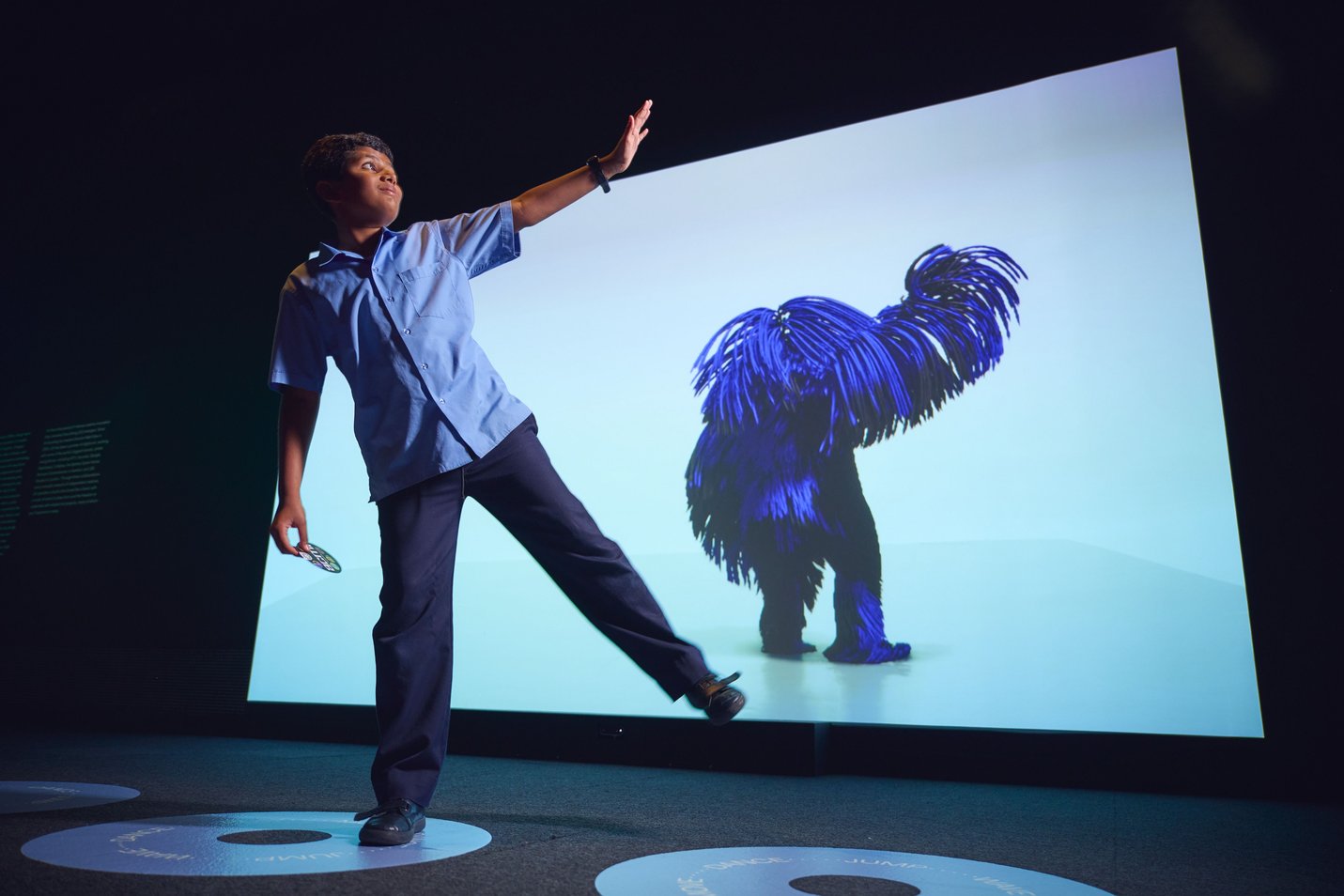
Key considerations for conserving time-based media art
Physical & environmental factors
Think about how the artwork is handled, installed, and stored. Some important things to consider:
- Is the storage or exhibition space clean, dust-free, and safe from pests?
- Is the temperature controlled to protect the materials?
- Is the artwork placed where it won’t get bumped or damaged?
- Does the lighting protect sensitive parts from fading or damage?
- Is there a risk of moisture, flooding, or poor air quality?
- Can visitors tamper with or damage the artwork?
- How will repeated playing affect the hardware and software?
Discuss as a group: What environment would best protect a video sculpture or digital installation?
Digital factors
Time-based media often includes video, software, or digital files. These need special care:
- Make exhibition copies and store them properly to avoid damage.
- Follow the artist’s instructions about how the work should look and be presented (resolution, aspect ratio).
- Watch out for data loss—schedule checks during exhibition and storage.
- Use checksums (digital fingerprints) to make sure files aren’t altered or corrupted.
- Keep accurate metadata (information about the artwork and its files).
Discuss as a group: How would you protect a video file from being lost or corrupted
Roles
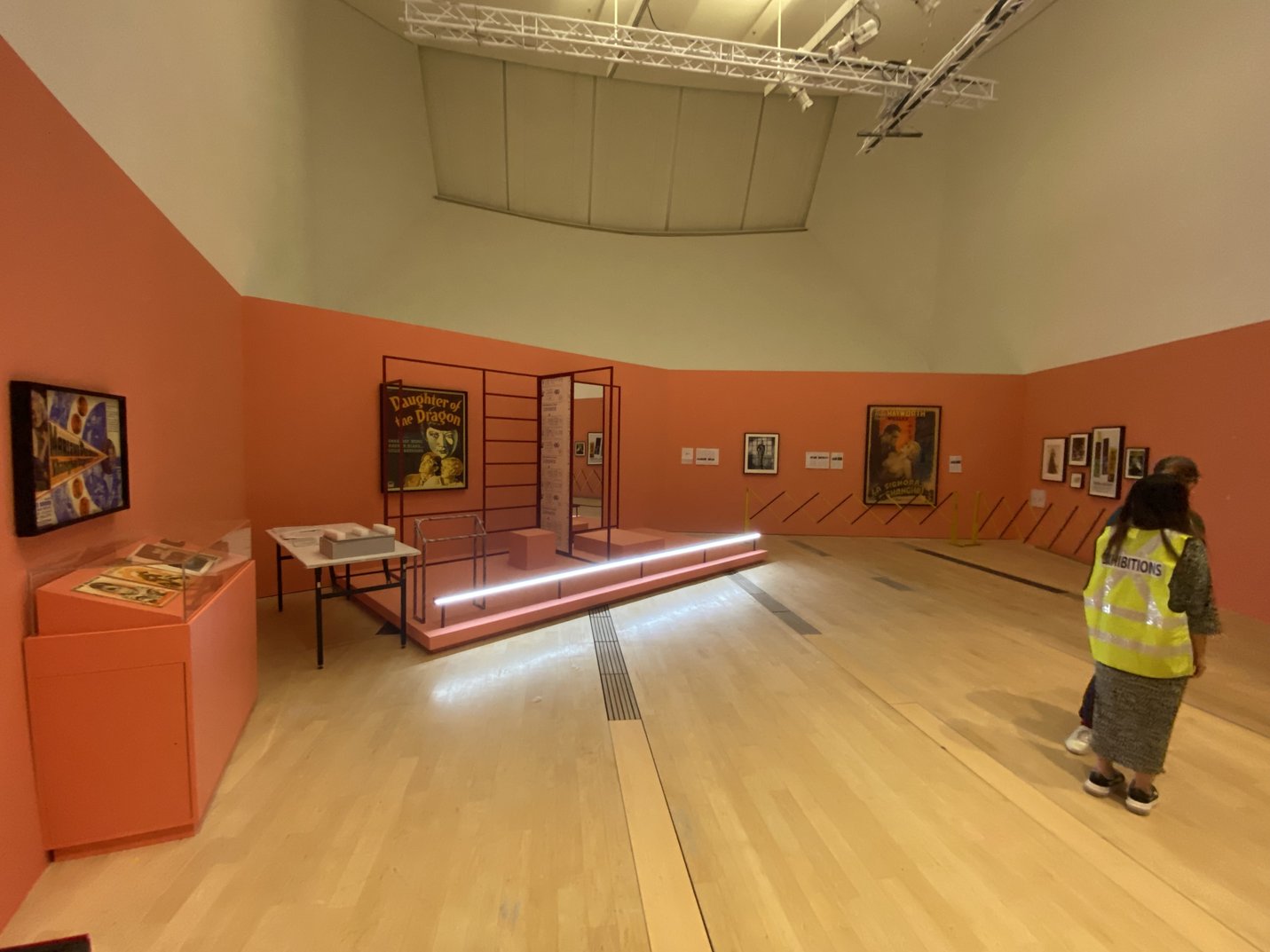
Who is involved in conservation when exhibiting?
- Curator: chooses artworks, talks with artists, and negotiates loan or acquisition terms.
- Registrar: manages artwork documentation, artist interviews, condition reports, and cataloguing.
- Time-based media conservator: specialist in caring for time-based media, oversees workflows during exhibition and accession into collections.
- Exhibitions project manager: plans the schedule for installation and deinstallation, including time for conservation checks.
- Facilities: ensure the venue is safe and suitable for the artworks.
- AV technicians: install and maintain the technical equipment faithfully to the artist’s vision.
- ICT: support hardware, software, and migrations.
Process and procedure
- Planning
- Curators select works and plan the exhibition layout considering conservation needs.
- Curators and registrars meet the artist or institution to discuss terms and care instructions.
- Artist interviews identify which parts of the artwork are essential and which can be changed or updated.
- Cataloguing records are created to track the work and its components.
- Project managers schedule enough time for installation and conservation.
- Regular meetings with all departments help spot and solve potential issues.
2: Installation
- Facilities provide risk assessments for safe installation.
- Facilities and AV prepare the space (temperature, cleanliness, equipment setup).
- Conservators conduct condition reports on arrival.
- AV/ICT install the work to specifications, with artist or institution guidance if possible.
- Documentation of installation is recorded visually and in writing.
3: Maintenance During Exhibition
- Facilities monitor environment and respond to risks (temperature, pests, tampering).
- Technical teams troubleshoot and maintain equipment.
- Regular checks ensure the artwork continues to function properly.
4: Deinstallation and Post-Exhibition
- Registrars handle paperwork for returning loans.
- Project managers schedule safe deinstallation with risk assessments.
- Conservators perform final condition reports before disassembly.
- Documentation of deinstallation is recorded.
- Technical teams pack and store the artwork carefully.
- Conservators and registrars manage accession into collections and long-term care plans.
Reflection questions
- Why is it important to consider both physical and digital aspects when conserving time-based media?
- How can the role of different departments support the conservation process?
- What challenges might arise when conserving artworks that rely on old technology?
- How would you prioritise care if you had limited resources for an exhibition?
Group Activity – Conservation Priorities
Scenario:
Your team is preparing an exhibition featuring three time-based media artworks. You have limited time, budget, and technical support, so you must decide how best to conserve and present each work.
The artworks:
- CRT Video Sculpture (1998)
Uses three bulky box-shaped television screens called CRT (cathode ray tube) monitors. They are fragile, generate heat, and need regular calibration. The exact arrangement of screens is essential to the artwork’s meaning. Replacement parts are rare or unavailable. - Interactive Digital Installation (2010)
Visitors trigger video and sound through motion sensors. The artwork depends on outdated software that doesn’t run on current systems without workarounds. Hardware can be unreliable and requires close monitoring. - Multi-Channel Projection (last year)
Large-scale work with three synchronised projectors and surround sound. Requires a controlled environment (cool temperature, low humidity, clean air, no light leaks, and stable power) to prevent overheating and maintain quality.
Your Resources:
- Budget for only two full conservation treatments
- Limited AV and ICT staff availability during installation
- One gallery space has full climate control; the other does not
Your Task:
- Identify key conservation challenges (physical and digital) for each artwork.
- Decide which artworks will receive priority conservation care and explain why.
- Present your group’s plan in 3 minutes, highlighting your reasoning.
Conservation and preservation

Museums and holders of art collections have always been dedicated to the conservation of artwork while in their care, however the development of time-based media art has thrown up a number of new challenges:
- Technology changes quickly – Old formats like VHS tapes, DVDs, or certain software may no longer work on new equipment, making it hard to display the artwork as originally intended.
- Equipment breaks or becomes outdated. Projectors, screens, or other devices used in the artwork may stop working and can be hard or impossible to replace.
- Some works rely on specific digital files or software, which need to be carefully stored, updated, or migrated over time so the work doesn’t get lost or corrupted.
- Museums need to work closely with the artist to understand what parts of the work can change and what must stay the same.
All of this means that caring for time-based media artworks isn’t just about storing them safely, but also involves planning for the future, adapting to new technology, and sometimes making creative decisions to keep the artwork alive.
Key steps in conservation in museums and digital archives
- Acquisition documentation & artist interview – at the time of acquisition, capture comprehensive documentation of the work, including photographs, installation diagrams, and a detailed artist interview. The interview should cover the work’s concept, creative intent, technical specifications, acceptable variations, and long-term display requirements. This forms the foundation for all future conservation and exhibition decisions.
- Appraisal – decide which works are priorities for conservation based on significance, urgency, and available resources.
- Identification – assign unique IDs and create descriptive metadata for the artwork and all its components.
- Authenticity – confirm that the work is genuine and came directly from the artist (or trusted source), and that documentation supports its provenance.
- Integrity / Fixity – generate checksums and use them to verify that files have not been altered or corrupted since acquisition. (A checksum is a unique digital 'fingerprint' generated by an algorithm to verify file integrity over time, detecting both accidental and intentional changes.)
- Characterisation – document the work’s technical details including file formats, codecs, frame rates, software dependencies and installation requirements.
- Sustainability & Obsolescence Planning – select storage formats that support long-term preservation; ensure future renderability; plan for physical media obsolescence (e.g., replacement or migration of tapes, discs, drives) and format obsolescence (e.g., migrating files if formats become unsupported); identify significant creative and technical properties that must be preserved, such as colour grading, frame rate, or loop behaviour.
- Preservation Metadata – record all technical details, actions taken, and migration history so future conservators understand the work's history and care.
- Access – provide safe, controlled ways for people to experience the work (exhibition copies, research copies, or emulation setups) without endangering the preserved master files.
For more detail, download the Key steps in conservation in museums and digital archives document.
Activity – Conservation planning workshop
- As a class: Imagine you are working with a new artwork created by an artist. This artwork is a time-based media piece that includes video and sound, combined with sculptural elements. It uses a mix of digital technology and physical materials. Brainstorm details that will help you fill out the artist info pack and plan for its conservation.
- What might the artwork look or sound like?
- What materials and equipment might it involve?
- Are there any unique or unusual features about the artwork?
- In pairs, follow the 9 steps of the Conservation & preservation workflow to plan how you would preserve a short time-based artwork.
- To complete step 1 (Acquisition documentation & artist interview), you will need to complete the artist interview that is part of the acquisition process. Choose roles: artist and conservator, The conservator can use the checklist below to help them ask questions to fill gaps in the artist info pack. The artist will provide the answers.
- Together as a pair:
- Identify one risk and one solution.
- Present your plan to the class in 2–3 minutes.
Case studies and examples
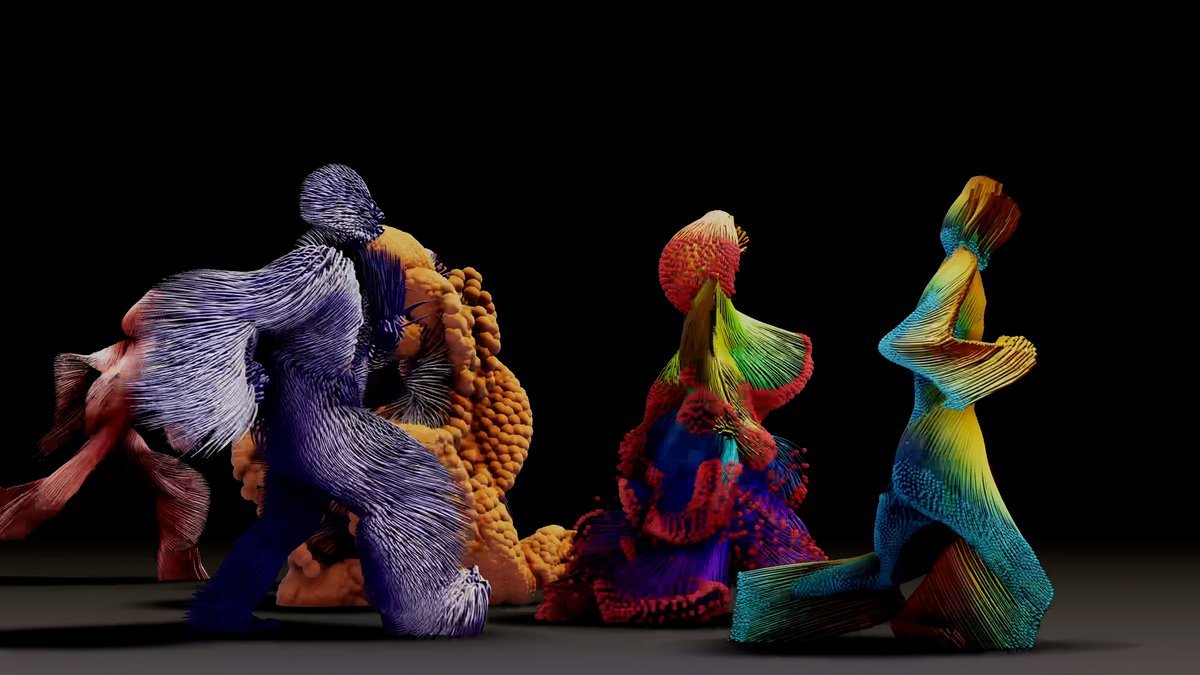
Candice Cranmer – Infinity case study
Inspired by the exhibition of Infinity at ACMI as part of the Beings exhibition, we asked ACMI’s time-based media conservator Candice Cranmer the following questions:
- If ACMI decided to collect Infinity the generative artwork that is created live in the exhibition space, what would the conservation implications be?
- How would we future proof the artwork?
Candice said: "For works that are generative or performative and will never be the same at any given showing, we'd look to archive all of the elements that would make it possible to remount it such as:
- source code
- accompanying software
- specific hardware used to operate the work
- any executable/s (a file that contains encoded instructions that can be executed by an operating system)
- preferences for specific technologies such as projectors etc
And we'd also document:
- any versions of software - bespoke or proprietary
- future redisplay options with the artists and preservation parameters they might have – for instance could the code, software and or hardware be upgraded and or migrated in the future? Could we do this in a way that keeps the authenticity of the object? What is the most authentic version of the work?
- how it looks and operates in the space through video and images
- any trouble shooting that has occurred while creating the work and/or installing it
- how people might interact with it and what that means for future redisplay
- concept drawings or documents that help describe the work and or its creation
Further examples
Arran Rees – Acquisition processes for VR works at ACMI
Find out more about the processes for acquiring VR works and the steps undertaken to ensure an artwork’s safe delivery to the collection after its initial installation in the galleries.
Candice Cranmer – Reflecting on VR preservation
This article looks at VR and highlights issues around conserving digital time-based media as well as some great solutions.
Jesse Dyer – Conserving software: Unity, Macromedia Director, Max/MSP and time-based media in ACMI’s Collection
This article explores ACMI’s approach to collecting and documenting works created using Unity, a graphics engine and software used in digital artworks such as Universal Everything's Future You. The writer concludes the following about conserving works made with Unity:
- the importance of documentation
- if possible, use software that allows a project to be built for multiple operating systems.
- image the hard-drive capturing all the drivers and other software required to run the work
- describe the subjective experience of engaging with the work
Thank you to Tania Lentini for her expertise and contribution to this resource.